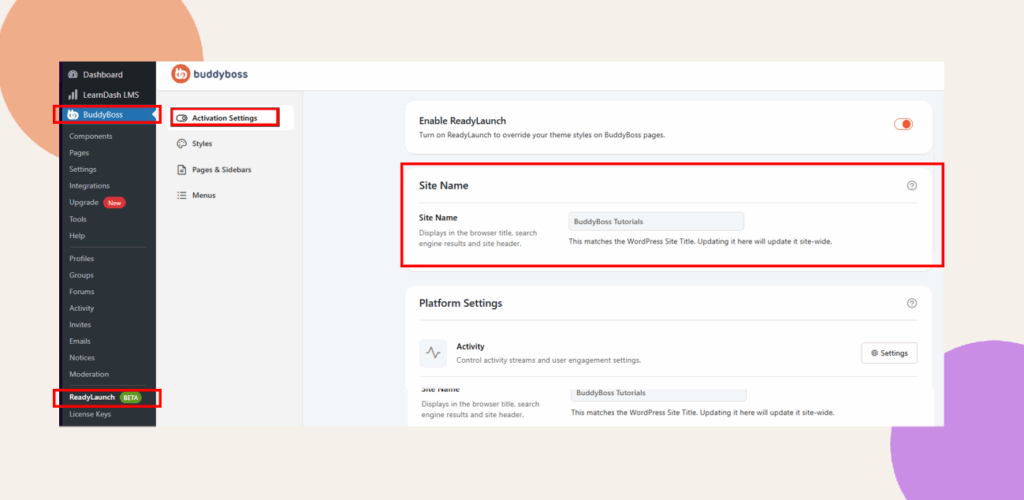
Set Your Site Name
Your site name is the first element members will see across your platform. It sets the tone for your community, appears in headers and menus, and reinforces your brand identity. Taking a moment to set it properly ensures your space feels personal and professional from the start.
Steps:
1. In your WordPress Admin, navigate to BuddyBoss > ReadyLaunch > Activation Settings.
2. Scroll down to the Site Name section.
3. In the Site Name field, enter your preferred name.