
Configure Sidebar Widgets
Find out how to add widgets to sidebars on activity feeds, profiles, and groups. Widgets boost engagement by making it easy for members to connect and explore content.
How to Enable Sidebar Widgets:
1. In your WordPress Dashboard, go to ReadyLaunch > Pages & Sidebars > Sidebar Widgets.
2. Choose which section you want to configure: Activity Feed, Member Profile, or Group.
3. Toggle the widgets you’d like to display:
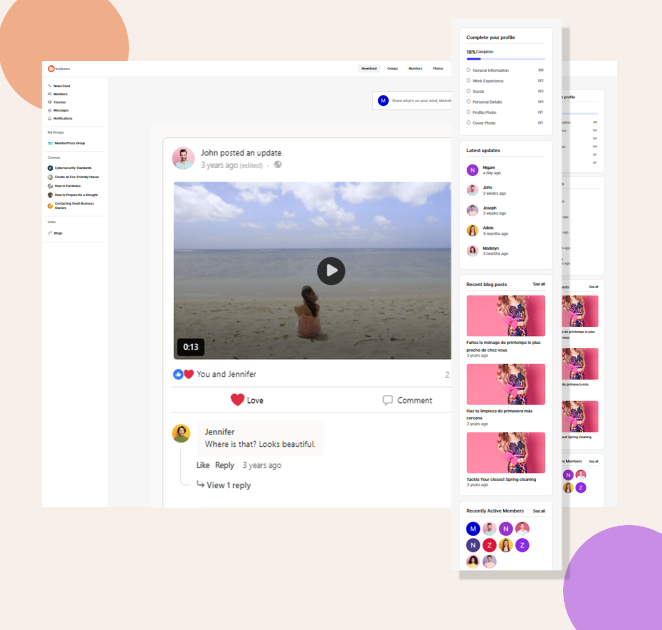
Activity Feed: Complete Profile, Latest Updates, Recent Blog Posts, Active Members
These widgets appear alongside the activity feed and provide discovery and engagement opportunities.
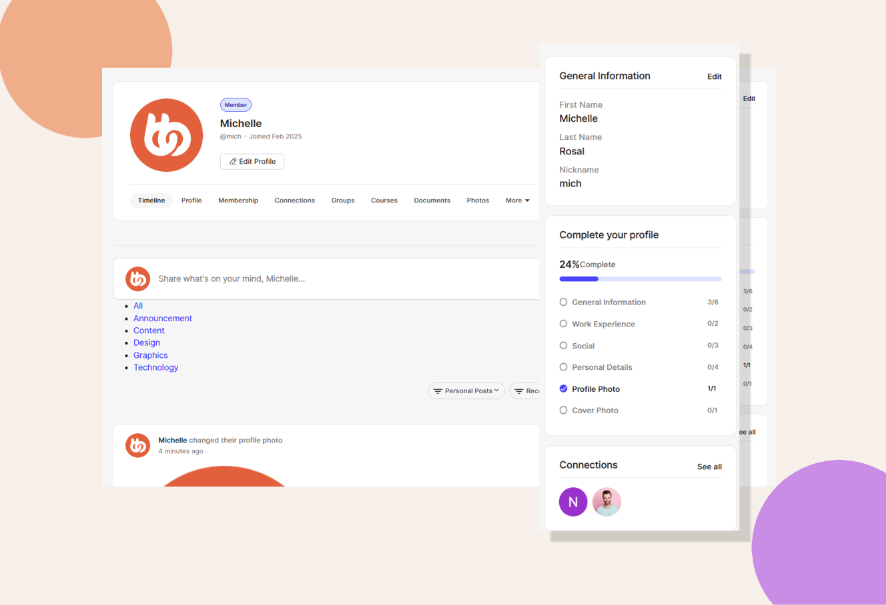
Member Profile: Complete Profile, Connections, My Network (Followers/Following)
These widgets appear on individual profile pages and offer users personalized options.
Group: About Group, Group Members
Widgets in this area provide information about the group and help users discover members.

Remember: The widget options you see depend on the BuddyBoss components you have enabled. For example, if Social Groups is turned off, group-related widgets will not appear here.