
Required Settings for Publishing
Before submitting your app to the Apple App Store or Google Play, you’ll need to enable a few critical settings. These ensure compliance with platform policies and protect your community.
Feedback & Reporting
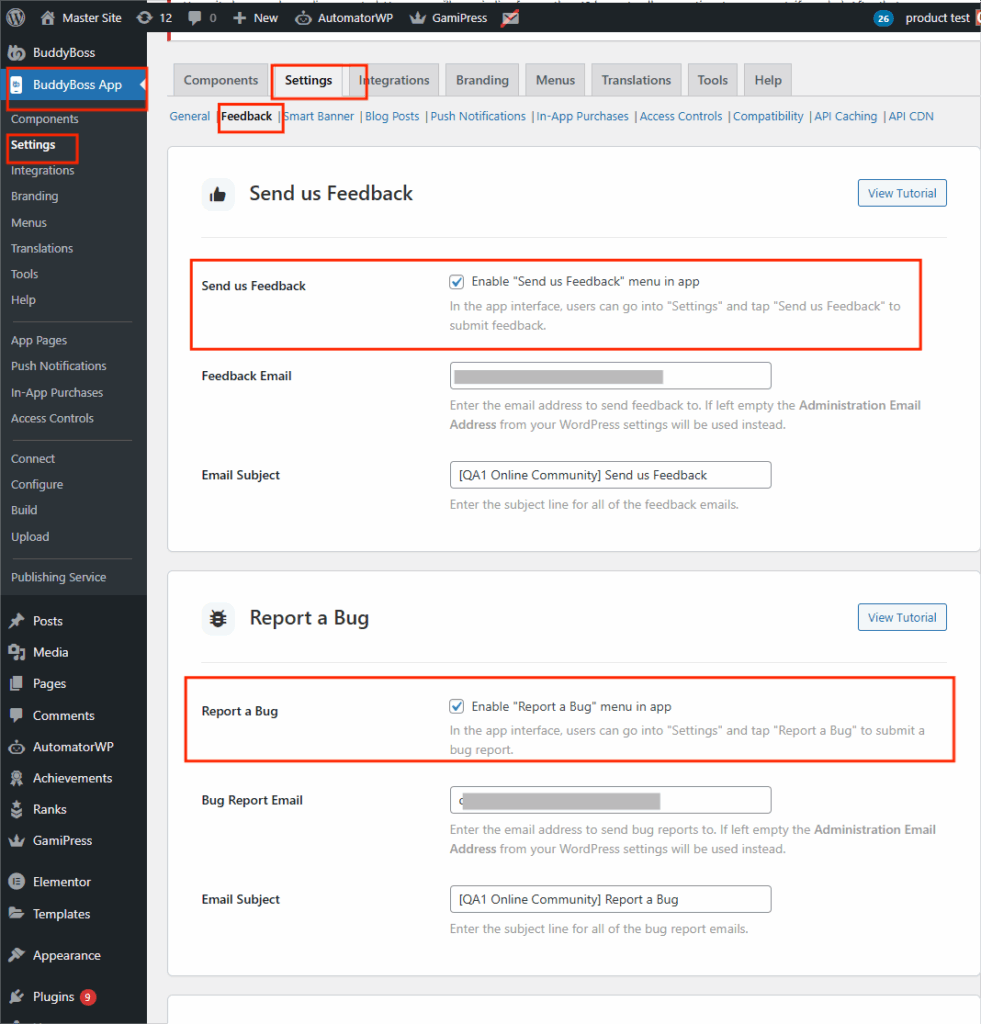
- Enable Bug Reporting → lets users report issues directly in the app.
- WordPress Dashboard > BuddyBoss App > Settings > Feedback
- Enable Send us Feedback and Report a Bug
- WordPress Dashboard > BuddyBoss App > Settings > Feedback
Community Safety (for social features)
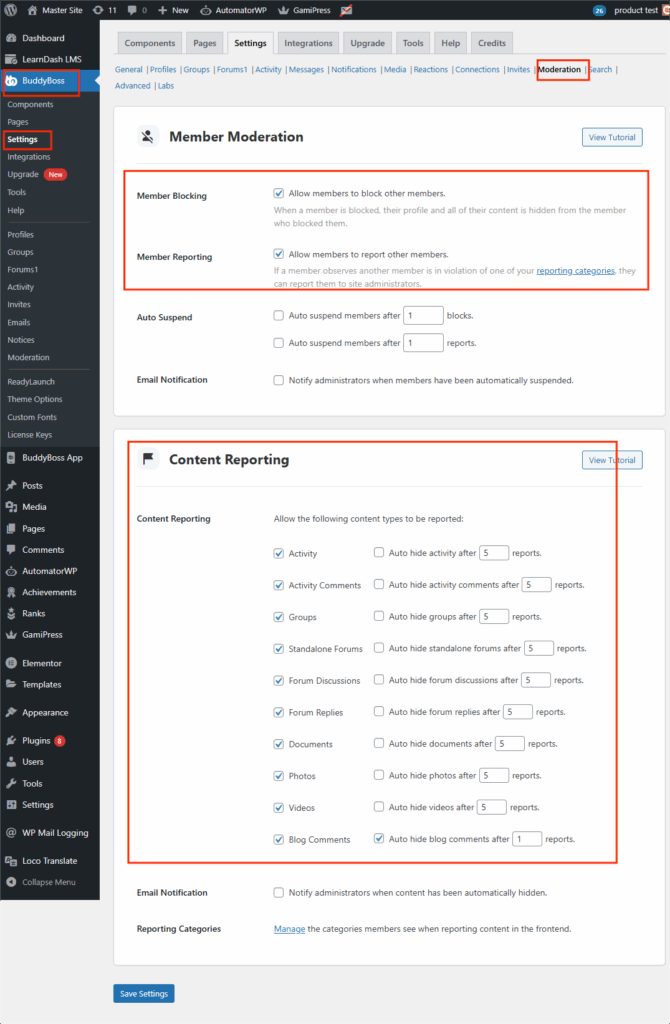
- Turn On Moderation Tools → required if you’re using BuddyBoss Platform social features.
- WordPress Dashboard > BuddyBoss > Settings > Moderation
- Enable:
- Allow members to block other members
- Allow members to report other members
- Enable all content reporting options
- Allow members to block other members
- WordPress Dashboard > BuddyBoss > Settings > Moderation
Compliance & Legal
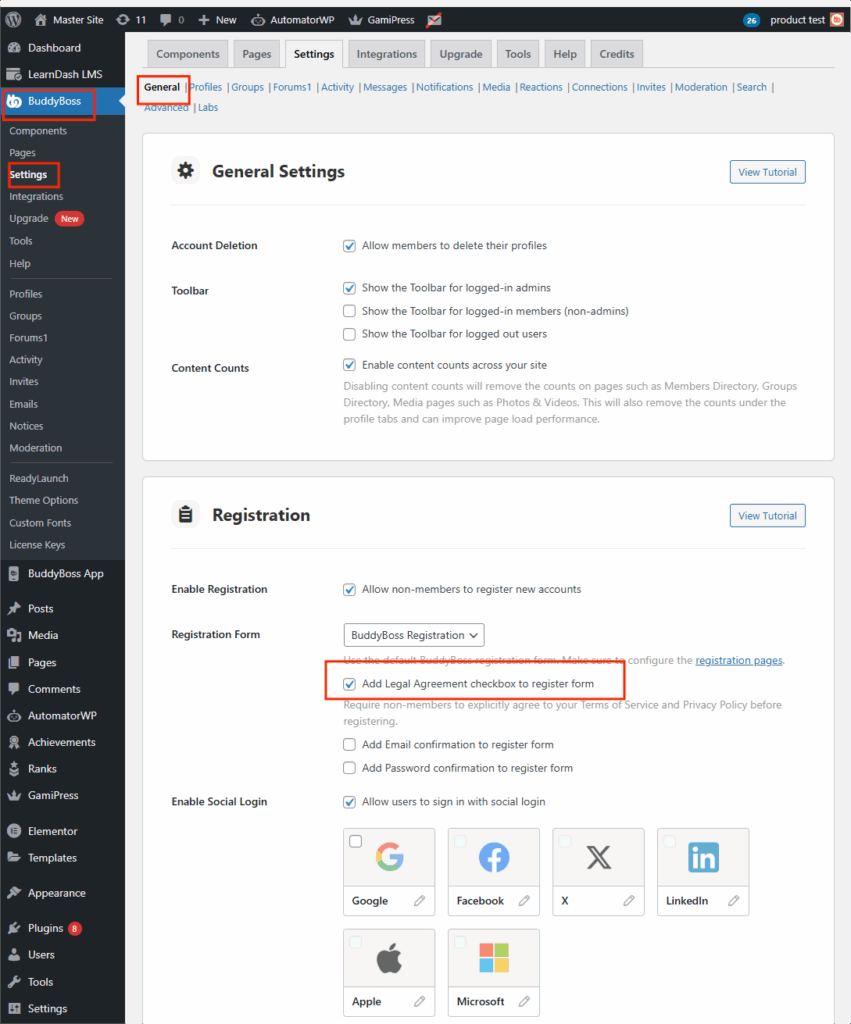
- Add a Legal Agreement Checkbox on Registration → required if registration is enabled in your app.
- WordPress Dashboard > BuddyBoss > Settings > General
- Enable Add legal agreement checkbox in registration
- WordPress Dashboard > BuddyBoss > Settings > General
With these settings enabled, your app will meet app store requirements while maintaining a safe and compliant experience for your users.
Pro Tip: Review these settings before every major app update to avoid delays in approval from Apple or Google.