
Connecting your BuddyBoss App
Before building your app, connect it to your WordPress site using the BuddyBoss App Plugin and your App ID/Key.
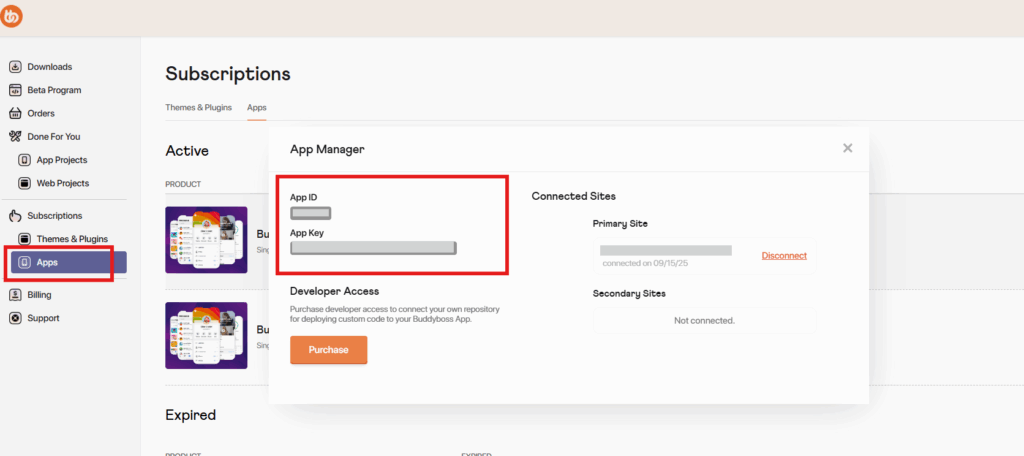
How to Get Your App Credentials:
- Log in to your BuddyBoss Account
- Click Subscriptions > Apps
- Find the license you’d like to use and click Manage
- Copy the App ID and App Key
To Connect Your Site:
- In your WordPress Admin, go to BuddyBoss App > Connect
- Paste your App ID and App Key into the fields
- Click Connect
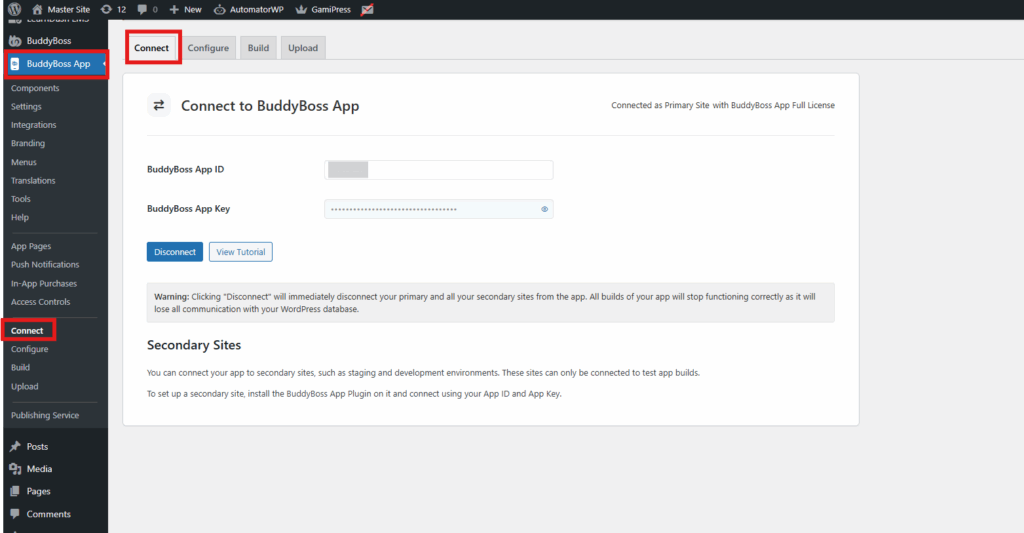
Your BuddyBoss App is now linked to your WordPress site!